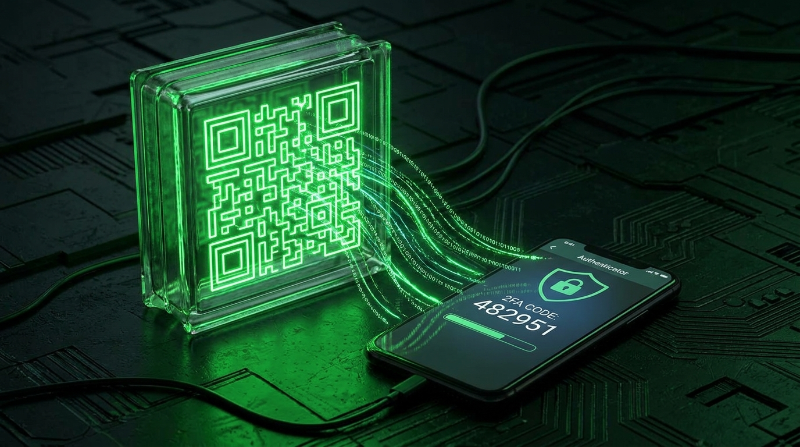
What Happens When You Scan a 2FA Setup QR Code
Every time a website turns on two factor authentication for your account, it shows you a square of black and white squares and asks you to scan it with an authenticator app. That single scan is the entire handshake. After it, your phone and the website's server agree forever on how to compute matching six digit codes, without ever talking to each other again. Understanding what happens in that one scan tells you exactly why the QR code deserves the same caution as a password.
Inside the otpauth:// URI
A 2FA setup QR code is not a picture of anything. It is a QR code encoding a short piece of text in the otpauth scheme, a de facto standard first published by Google and now implemented identically by every major authenticator app. A typical example looks like this:
otpauth://totp/GitHub:alice%40example.com?secret=JBSWY3DPEHPK3PXP&issuer=GitHub&algorithm=SHA1&digits=6&period=30Each part of that string has a specific job:
| Part | Value | What it does |
|---|---|---|
| Scheme | otpauth:// | Tells the scanning app this is an OTP setup link, not a website |
| Type | totp | Time based OTP, as opposed to hotp for the counter based variant |
| Label | GitHub:alice@example.com | Issuer and account name, shown in your app's list of entries |
| secret | JBSWY3DPEHPK3PXP | The Base32 encoded shared key. This is the only part that actually matters cryptographically |
| issuer | GitHub | Repeats the service name in a query parameter, some apps read this field instead of the label |
| algorithm | SHA1 | The HMAC hash function used inside the code generation formula, almost always SHA1 in practice even though SHA256 and SHA512 are valid |
| digits | 6 | Length of the generated code, 6 is standard, 8 shows up occasionally |
| period | 30 | How many seconds each code stays valid before the next one takes over |
Only one of these fields is secret. The type, issuer, algorithm, digit count and period are all just configuration flags that tell your authenticator app how to format its display and run its math. The secret is the actual key. Whoever has it can generate every code your account will ever ask for, forever, without needing your phone, your password, or any further contact with the website.
A Worked Example: From URI to Six Digit Code
It helps to follow one secret all the way through. Take the secret JBSWY3DPEHPK3PXP from the URI above.
- Your authenticator app decodes the QR image into that raw otpauth text string.
- It parses out the secret and stores it, usually in the device's encrypted keystore, alongside the issuer and account labels for display.
- Every 30 seconds, the app takes the current Unix time, divides it by the period (30), and rounds down to get a whole number counter.
- That counter and the secret are fed into an HMAC-SHA1 function, producing a long binary output.
- A small piece of that output is extracted and truncated down to 6 digits, and that number is what appears on your screen.
Run the exact same secret through the same steps on the website's server at the same moment, and it produces the same 6 digits. That agreement, computed independently by two devices that never speak to each other again after setup, is the entire trick behind TOTP. If you want to see the mechanics with your own secret, paste it into our browser based TOTP generator and watch the code refresh every 30 seconds, or read the full walkthrough in our TOTP explainer. The Base32 encoding used for the secret itself is covered in our Base32 guide.
Why the QR Code Is Only Used Once
Notice that nothing in the process above requires the QR code after step one. The image exists purely to move the secret from the website's screen into your phone without you having to type 20 or 32 characters by hand. Once your app has parsed and stored that secret, the QR code has done its job. You could destroy the browser tab, close the setup page, and your authenticator would keep generating valid codes indefinitely, because it holds the same ingredient the server holds.
This is also why losing the QR code image after setup does not matter, but losing the secret does. Most services show a "can't scan the code" link that reveals the same secret as raw text specifically so you have a backup if the QR image itself is unavailable or your camera can't read it.
The Security Implication: A Setup QR Is a Password
Because the QR code is just the secret dressed up as an image, it carries the exact same risk as a plaintext password screenshot. A few practical rules follow directly from that fact:
- Never screenshot a 2FA setup QR code for "just in case" storage, especially on a phone with automatic cloud photo backup. A synced screenshot puts your 2FA secret in someone else's data center indefinitely.
- Cover the screen when scanning in a public place. A QR code is readable from a phone camera across a room. Shoulder surfing works on QR codes exactly as well as it works on typed passwords.
- Treat a leaked setup QR the same as a leaked password. If you suspect a screenshot, email, or photo containing your setup QR was exposed, disable and re-enable 2FA on that account to force the service to issue a brand new secret.
- Decode before you trust. If a QR code arrives from an unexpected source, such as a link in an email claiming to be a "2FA re-setup", inspect it first with our QR Code Decoder rather than scanning it directly into your authenticator app.
A password lives in your head or a manager. A 2FA secret lives only in the QR code and your app. That makes the QR code the single point of exposure for the entire second factor, worth exactly the caution you'd give the password it's meant to reinforce.
If You Can't Scan the Code
Every well built 2FA setup screen offers a manual entry option alongside the QR code, typically behind a "can't scan?" or "enter code manually" link. It reveals the same Base32 secret in text form, something like JBSWY3DPEHPK3PXP, which you can type directly into any authenticator app. This matters when you're setting up 2FA on a device without a camera, or when you want to verify a code independently before committing to it. You can test any secret in our browser based 2FA generator to confirm it produces working codes before relying on it.
Generating Your Own 2FA QR Codes
If you're building an application that offers 2FA to your own users, the process mirrors what's described above in reverse:
- Generate a random secret, at least 20 bytes of entropy, and Base32 encode it. Our 2FA Secret Generator does this in your browser with no data sent anywhere.
- Store the secret encrypted at rest in your database, associated with the user's account.
- Build the otpauth URI using the user's account name and your service name as the issuer.
- Render that URI as a QR code and show it to the user exactly once, during setup. Our QR Code Generator accepts any text, including a full otpauth URI, as its input.
- Require the user to enter a live code from their app before you mark 2FA as active, so you catch typos or scanning failures immediately instead of locking someone out later.
Frequently Asked Questions
Is it safe to scan a 2FA QR code straight off my computer screen?
Yes, that's the standard workflow and there's nothing inherently risky about screen to camera scanning. The thing to verify is that the setup page itself is genuine: check the URL in your browser before scanning, especially if you arrived at the setup screen through a link in an email rather than by navigating to the service directly.
Can the same QR code be scanned into more than one authenticator app?
Yes. The QR code just contains a secret, and nothing stops multiple apps from reading and storing the same one. Both will generate identical, valid codes at the same moment. This is the standard way to add one account to a phone and a backup device at the same time. It also means anyone else who scans the same code gets equally valid codes, which is the entire reason to keep it private.
What should I do if I think my setup QR code leaked?
Disable 2FA on the account and turn it back on immediately. This forces the service to generate a brand new secret and a brand new QR code, which instantly invalidates whatever secret the old code contained. Don't wait to see if anything suspicious happens first, since a leaked secret is silent until it's used against you.
Why do some 2FA QR codes have a logo or color in the middle?
The image itself is a normal QR code with extra error correction data woven in so it can tolerate a logo covering part of the grid without losing readability. It doesn't change what's encoded, the underlying otpauth URI and secret are identical to a plain black and white version.
Does the QR code expire after I scan it once?
The code itself doesn't expire technically, it's just text and stays scannable forever. What matters is that most services only display it during the initial setup screen and won't show that exact secret again once you've confirmed setup, precisely because showing it again would mean displaying your secret in plaintext on demand.