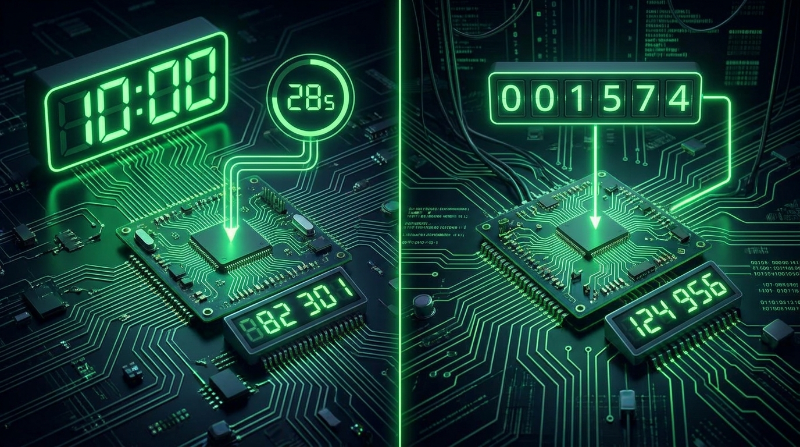
TOTP vs HOTP: Two Ways to Solve the Same Problem
Both TOTP and HOTP exist to answer one question: how do a phone and a server, with no ongoing communication between them, agree on the same secret number at the same moment. They use identical underlying cryptography and differ only in what feeds that cryptography. That one difference, a clock versus a counter, explains almost everything about where each standard is used today.
The Shared Foundation: HMAC Based One Time Passwords
Both standards build on HOTP (RFC 4226), the base algorithm published in 2005. The formula is:
HOTP(secret, counter) = Truncate(HMAC-SHA1(secret, counter)) mod 10^digitsFeed a secret and a counter into HMAC-SHA1, take a slice of the resulting hash, and reduce it to a 6 or 8 digit number. That's the entire code generation formula for both standards. The only thing that changes between TOTP and HOTP is what value gets used as the counter:
- HOTP: a plain integer that increases by exactly 1 each time a code is generated
- TOTP: the current Unix timestamp, divided by the time step and rounded down, so it increases automatically every 30 seconds without anyone incrementing it
How HOTP Actually Counts
Picture a hardware token with a single button and no clock chip. The first time it's registered to an account, both the token and the server agree the counter starts at 0.
- You press the button. The token computes HOTP(secret, 0) and shows a code.
- You type that code into the login form. The server, which also has counter 0, computes the same value and confirms it matches.
- Both sides then move their counter to 1, ready for the next login.
- Next time, the token computes HOTP(secret, 1), the server checks against 1, both advance to 2.
The whole scheme depends on both counters staying in lockstep. If you press the button three times while getting coffee, distracted, and never type any of those codes in, your token's counter jumps to 3 while the server's is still at 0. Servers handle this with a look ahead window, typically checking the next 10 or so counter values instead of just the next one, so a handful of unused presses don't lock you out. Push the counter too far out of that window, though, and you need a manual resync.
HOTP Strengths
- No clock is required at all, which suits small hardware tokens with no battery hungry timekeeping circuit
- A code generates on demand and stays valid until it's used or the counter passes it, useful for tokens with no display refresh logic
- Works offline indefinitely, a battery powered token can generate codes for years without ever syncing with anything
HOTP Weaknesses
- Counter drift: as described above, mismatched counters are the standard's core operational headache
- Codes don't expire on their own: an intercepted HOTP code stays valid until the legitimate counter passes that value, which can be a long window if the account isn't used often
- No time based cutoff: there's no equivalent of TOTP's 30 second kill switch, so the server's look ahead window is doing double duty as both a usability feature and a security boundary
How TOTP Replaces the Counter With Time
TOTP (RFC 6238, published in 2011) takes the same HOTP formula and swaps the manually incremented counter for something both sides already have without coordinating: a clock.
T = floor(current_unix_timestamp / 30)
TOTP(secret) = HOTP(secret, T)
Every device with a reasonably accurate clock can compute T independently. At any given moment, your phone and the server both divide the same timestamp by 30, get the same whole number, and produce the same code without exchanging a single message. When the 30 second window rolls over, both sides move to the next T at the same instant. There's no state to keep in sync because the clock itself is the synchronization mechanism.
TOTP Strengths
- Codes expire automatically every 30 seconds, shrinking the window an intercepted code is useful to an attacker
- Self synchronizing: no counter to drift, since every device already keeps roughly accurate time
- No token side state beyond the secret itself, so replacing a lost phone with a fresh install of the same secret works immediately
- Every code has the same fixed lifetime regardless of how often the account is used, unlike HOTP where a rarely used account can have a long stale look ahead window
TOTP Weaknesses
- Clock dependency: if a phone's clock drifts far enough from real time, its codes stop matching what the server expects
- A 30 second window is still a window: a real time phishing relay can capture a code and forward it to the real site within that time and still succeed, which hardware backed methods like FIDO2 close off entirely
What Clock Drift Looks Like in Practice
Almost every phone keeps time accurate to a second or two via automatic network time sync, so drift is rarely a problem for typical users. It shows up on devices that don't sync automatically: an old phone kept in airplane mode as a dedicated authenticator, a virtual machine with a stopped clock, or a hardware TOTP token whose battery ran low and let its internal clock slip. Implementations compensate by accepting one time step before and after the current one, effectively a 90 second window instead of a strict 30, which absorbs almost all real world drift. If your codes suddenly stop working across every account at once, rather than just one, a clock problem is usually the first thing to check before assuming your secret is wrong.
Side by Side Comparison
| Feature | HOTP | TOTP |
|---|---|---|
| RFC | RFC 4226 (2005) | RFC 6238 (2011) |
| Counter mechanism | Integer counter | Unix timestamp divided by time step |
| Code validity | Until the next button press or counter advance | 30 seconds by default |
| Clock sync required | No | Yes, within roughly 60 to 90 seconds |
| Replay window | Until the counter advances past it | One time step, plus adjacent windows some servers allow |
| State to manage | Counter must stay synchronized on both sides | Stateless, the clock supplies the state |
| Typical use today | Hardware tokens, YubiKey OTP mode | Authenticator apps, most consumer 2FA |
Choosing Between Them
Two scenarios cover almost every real decision:
You're building or choosing consumer facing 2FA. Use TOTP without a second thought. Every authenticator app on the market implements it, users already expect a 30 second refreshing code, and the clock synchronization requirement is a non issue on any device connected to the internet.
You're designing a hardware token with a button and no display logic for expiring codes. HOTP remains a reasonable fit, and it's why YubiKey's OTP mode still uses it, though modern YubiKeys also support TOTP through their OATH application for exactly this reason.
Outside of hardware token manufacturing, there's little reason to reach for HOTP in a new build. Test your own TOTP implementation with our free TOTP code generator, and generate compliant test secrets with our 2FA Secret Generator. The Base32 format both secrets use is covered in our Base32 encoding guide.
Frequently Asked Questions
Does Google Authenticator support HOTP?
Yes. Google Authenticator supports both types, and you can add an HOTP entry by using an otpauth URI with type "hotp" instead of "totp". In practice almost every account you'll add uses TOTP, since that's what services issue by default.
Is HOTP less secure than TOTP?
The underlying HMAC cryptography is identical in both. HOTP's larger practical weakness is that codes don't expire on a fixed schedule, only when the counter passes them, which can leave a wider window than TOTP's 30 seconds. For hardware tokens used in controlled settings this tradeoff is usually acceptable. For software 2FA, TOTP's automatic expiry is generally the safer default.
What is Steam Guard? Is it TOTP or HOTP?
Steam Guard Mobile Authenticator is a TOTP variant with non standard parameters: a 26 letter character set instead of digits, and 5 character codes instead of 6. That's why a regular authenticator app can't add a Steam account the normal way, you need the Steam app itself or a specialized app aware of Steam's specific format.
What does "period" mean in a TOTP setup?
Period is the time step, how many seconds a code stays valid before the next one takes over. The standard default is 30 seconds. A few services use 60 seconds to give users a larger input window. The period is included as a parameter in the setup QR code so your authenticator app knows which interval to compute against.
If my authenticator code keeps getting rejected, is that a TOTP problem?
It usually points to clock drift on your device rather than a wrong secret. Check your phone's automatic date and time setting is enabled rather than manually set, since a manually set clock is the most common cause of a device slipping out of the window servers tolerate.
