A Feature Nobody Asked to Be Controversial
For years, Google Authenticator had one glaring flaw: it stored your 2FA secrets only on the device you set them up on. Get a new phone, lose your phone, or drop it in a lake, and you'd lose access to every account you'd protected with it, forced into painful account-recovery flows one service at a time. Google fixed that in April 2023 by adding cloud sync tied to your Google account. Security researchers immediately flagged a problem with how it was built, and the story since then has been more nuanced than either "it's fine" or "never use it."
What Actually Gets Synced, and When
When you enable sync, Google Authenticator uploads the raw TOTP secrets, the Base32 strings that generate your 6-digit codes, to Google's servers, associated with your signed-in Google account. Practically, this means:
- Install the app on a new phone, sign into the same Google account, and every 2FA entry you had reappears automatically, no re-scanning QR codes one by one.
- Install it on a second device, tablet included, and it syncs there too, so the same codes generate on both devices simultaneously.
- Delete the app and reinstall it while still signed into the same account, and your entries come back rather than being wiped.
The Timeline: What Changed and When
The full history matters here, because the criticism landed at a specific moment and the fix came later, not simultaneously.
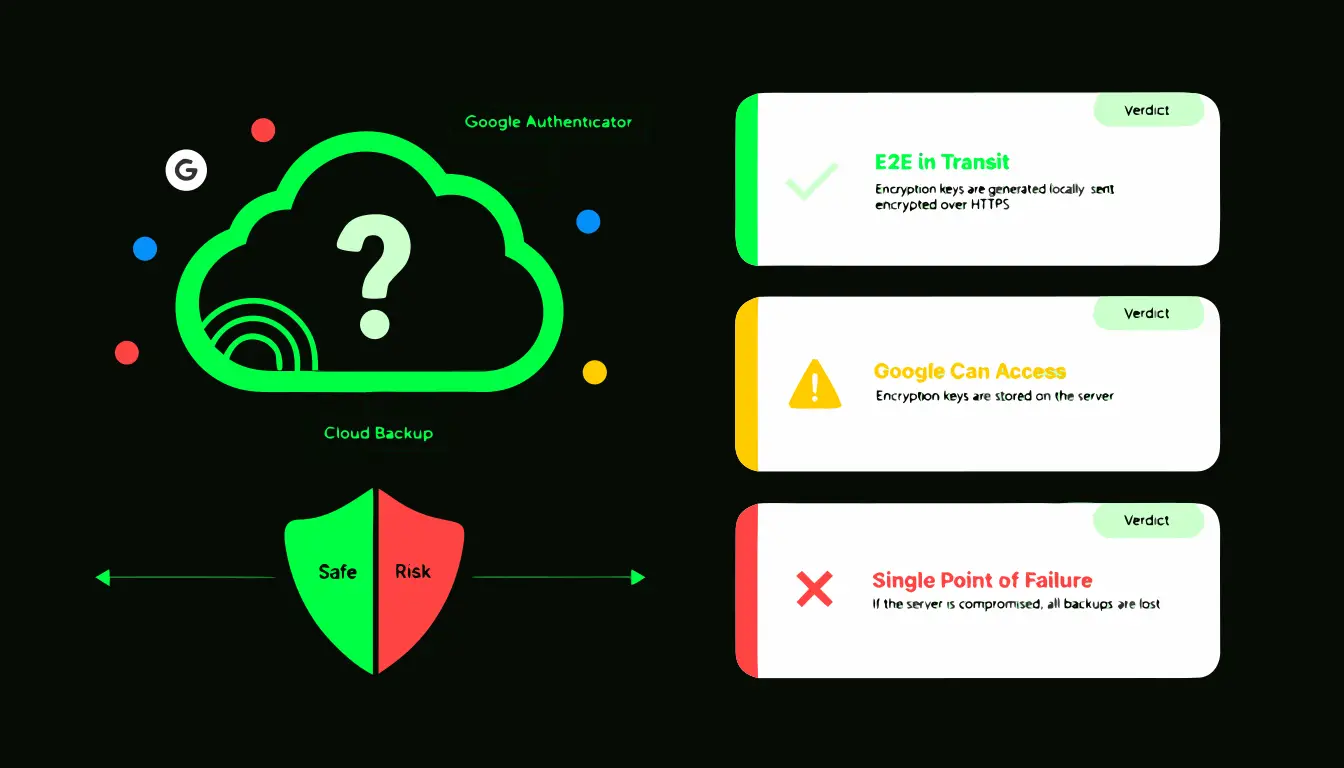
- April 2023: Google ships cloud sync for Authenticator. Within days, security researcher Mysk publishes analysis showing the sync traffic was not end-to-end encrypted, meaning Google's infrastructure could, in principle, read the secrets it was storing.
- Mid-2023: Google acknowledges the gap publicly and commits to adding end-to-end encryption (E2EE) as a future update rather than reversing the sync feature.
- 2024: Google ships optional E2EE for Authenticator's sync. Critically, it is opt-in, not the default, meaning accounts that enabled sync earlier and never revisited the setting are likely still on the unencrypted path.
That gap between "feature launches" and "encryption becomes available, and only if you turn it on" is the single most important fact in this whole discussion, and it's the part most casual summaries skip.
The Real Tradeoff: One Account Now Guards Everything
The core risk isn't really about Google's server security, which is genuinely excellent by industry standards. It's structural. Before cloud sync, a compromised Google password didn't hand over your 2FA secrets, because they lived only on your physical device. Now, for anyone with sync enabled and E2EE not turned on, your Google account password becomes a single point of failure for every account you've protected with Authenticator, potentially including your Google account itself if you unwisely use Authenticator to protect Authenticator's own login.
This matters most for two realistic attack paths. First, straightforward credential theft: if your Google password leaks in a breach or gets phished, and your Google account itself lacks strong 2FA (ideally a hardware key), an attacker who gets in can potentially pull every synced secret. Second, account-recovery social engineering: an attacker who convinces a support process or exploits a weak recovery email/phone to regain access to your Google account inherits the same synced secrets.
Who Should Turn Sync Off Entirely
For most people with a handful of social media and shopping accounts, sync with E2EE enabled is a reasonable, even sensible, default. It genuinely solves the "I lost my phone and lost everything" problem, which is a far more common failure mode than a targeted attack on any individual person. But some situations call for local-only storage instead:
- You use 2FA to protect cryptocurrency exchanges, business banking, or company infrastructure, where a single compromised secret has direct financial consequences.
- You're a journalist, activist, or public figure facing a realistic chance of being individually targeted rather than swept up in a mass breach.
- You'd simply rather not have any single company hold the keys to every other account you own, on principle.
Three Better Alternatives, and How They Actually Differ
If cloud backup is something you want but Google's implementation doesn't sit right with you, these three apps solve the same "don't lose my codes" problem with meaningfully different security models:
- Authy: encrypts your entire backup with a password you choose before anything leaves your device. Authy's servers store only the encrypted blob and never see the password, so even a full server breach wouldn't expose usable secrets. The tradeoff is that if you forget that backup password, the encrypted data is genuinely unrecoverable.
- Bitwarden Authenticator: built into the Bitwarden password manager, meaning your TOTP secrets live inside the same end-to-end encrypted vault as your passwords. Convenient if you already use Bitwarden, though it does mean one master password now guards both passwords and 2FA codes together, which some security-conscious users prefer to keep separate.
- Aegis (Android, open source): takes a fundamentally different approach: no built-in cloud sync at all. Instead it exports an encrypted vault file that you personally back up wherever you choose, Google Drive, a NAS, a USB drive. You control the storage location entirely, at the cost of having to remember to do the backup yourself.
You can also generate and check TOTP codes directly in your browser with our free 2FA generator, useful for verifying a secret without installing any app at all, since nothing you type is ever sent anywhere.
Putting It Together: A Practical Recommendation
| Your situation | Recommendation |
|---|---|
| Mostly social media, streaming, and shopping accounts | Google Authenticator sync is fine. Go into settings and confirm end-to-end encryption is turned on, since it isn't automatic. |
| Crypto exchanges, business accounts, financial platforms | Use Aegis with a self-managed encrypted backup, or Authy with a strong, unique backup password. |
| Journalist, activist, or otherwise a plausible individual target | Pair a hardware security key for your most critical accounts with a local-only authenticator and an offline backup, never synced to any cloud account. |
Whichever path you choose, the highest-leverage single step is protecting the account tied to the sync itself, your Google account, with a hardware security key rather than Authenticator codes generated by the same app you're trying to protect.
Frequently Asked Questions
How do I turn on end-to-end encryption in Google Authenticator?
Open the app, tap your profile icon in the top right, and check the account sync and encryption options there. Google rolled this out through 2024 and the exact menu wording has shifted between versions, so if you don't see it, confirm the app is fully updated and check Google's current support documentation for your specific version.
Can Google read my TOTP secrets right now?
It depends entirely on whether you've opted into end-to-end encryption. Without it, Google holds a copy it can technically decrypt. With it turned on, the secrets are encrypted with a key derived from something only your device holds, and Google's servers cannot read them.
What actually happens if my Google account gets hacked while sync is on?
Without E2EE enabled, an attacker who fully compromises your Google account could potentially access your synced 2FA secrets alongside your email and files. This is precisely why the account holding the sync should itself be protected by the strongest available method, ideally a hardware key, not by a code generated inside the same app being protected.
Should I use Google Authenticator to protect my Google account itself?
Not ideally. That creates a circular dependency: if your Google account is compromised, the authenticator protecting it is compromised in the same breach, since its secrets live inside that same account when sync is on. A hardware security key breaks that loop entirely.
Is disabling sync and going local-only actually inconvenient?
Somewhat, yes. You'll need to manually re-add accounts (or restore from a self-made encrypted export) when you switch phones. For most people this is a minor once-every-few-years inconvenience that's a fair trade for not tying every 2FA secret to one cloud account.