What Actually Happens When You Log In
Type a password, pass a 2FA code, and the site does not ask you again for the next several days or weeks. That is only possible because the site handed your browser something right after authentication: a session cookie, a long random token that means "this browser already proved who it is." From that moment forward, every request your browser makes presents that token instead of your password. The server does not re-check your credentials. It checks whether the token is valid and treats the request as coming from you if it is.
This is called bearer token authentication for a reason: whoever holds the token is treated as you, no further questions asked. That single design choice, made for convenience, is also the entire attack surface behind session hijacking.
The Attack: Steal the Token, Skip Everything Before It
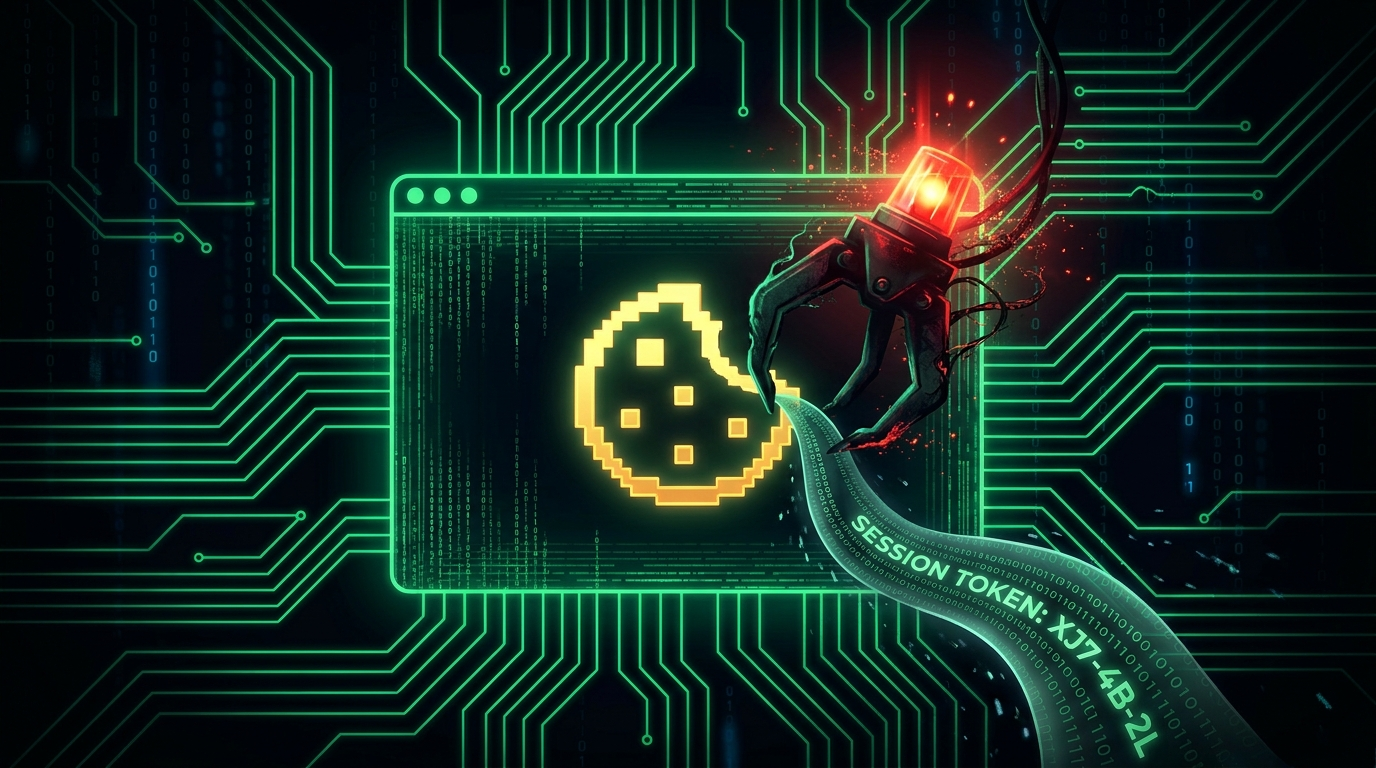
Session hijacking is the theft of that cookie. If an attacker copies your session token into their own browser, the server has no way to distinguish them from you. There is no password prompt and no 2FA challenge, because from the server's point of view, authentication already happened successfully, and it happened for the real account owner. This is the mechanism behind a surprising number of "but I had 2FA turned on" account takeovers, including several publicized hijacks of large YouTube channels where attackers never touched a password field at all.
How the Token Actually Gets Copied
- Infostealer malware: The dominant method today. Malware bundled with cracked software or fake installers copies the entire browser cookie database, along with any saved passwords, in seconds, and uploads it silently. The victim's session keeps working normally, because nothing was revoked, it was simply duplicated elsewhere.
- Real time phishing proxies: Toolkits like Evilginx sit invisibly between the victim and the real website, relaying the entire login, password and 2FA code included, straight through to the genuine site. The victim logs in successfully and notices nothing wrong, while the proxy captures the resulting session cookie for the attacker as it flows back.
- Cross site scripting, or XSS: A vulnerability on the website's own code lets injected JavaScript read cookies that were not flagged HttpOnly, and send them to an attacker's server. This is a flaw in the site, but your session pays the price for it.
- Unencrypted networks: The original version of this attack. On open WiFi carrying plain HTTP, cookies traveled in plaintext for anyone listening nearby. Universal HTTPS adoption has largely closed this route; our public WiFi guide covers what still leaks on shared networks today.
The pattern behind several major creator channel hijacks was nearly identical: a fake sponsorship offer arrived by email, a PDF or installer attached to it quietly dropped an infostealer, and within minutes the channel's session cookies were sitting in an attacker's browser on another continent. No password was ever typed by the attacker, because none was needed.
Why Your 2FA Was Real and Still Didn't Save You
Two factor authentication protects the login event itself. Session hijacking happens after that event, once the legitimate login has already succeeded, so the 2FA gate was passed honestly, by you, before the theft ever occurred. That is not an argument against using 2FA. It still blocks the far more common password based takeover attempts outright, and it stops an attacker from simply logging in fresh with a stolen password. What it means is that a stolen session requires its own, separate set of defenses, layered on top of 2FA rather than instead of it.
Building a Defense in Depth Against Session Theft
Keep Stealer Malware Off the Device
Cookie theft at scale is fundamentally a malware distribution problem, not a cryptography problem. The same infection vectors apply here as anywhere else: cracked software, fake update prompts, "check out this game I made" download links, and malicious email attachments. The prevention habits in our keylogger guide transfer directly.
Log Out of Anything That Actually Matters
A session token that does not exist cannot be stolen. Staying permanently logged into your bank for convenience means that a stolen cookie file includes your bank by default. Log out of high value accounts when you are done with them, and let lower stakes accounts keep their convenience if you want.
Use "Sign Out Everywhere" the Moment Something Feels Wrong
Most major services expose a "sign out of all sessions" control inside account security settings, and it invalidates every session token server side, including any copies an attacker is holding. Suspect an infection, clicked a bad link, or lost a device? Change the password first, then kill all sessions second. The order matters, because signing out first while the device is still compromised just hands the attacker a fresh session on the next login attempt.
Move Toward Passkeys and Device Bound Sessions
The structural fix the industry is converging on is binding a session cryptographically to the specific device that created it, so a copied cookie is worthless anywhere else. Passkeys push in exactly this direction, and major browsers are gradually rolling out device bound session credentials for exactly this reason. Where a passkey option exists, take it. Our passkey explainer covers setup end to end.
For Developers Building the Login System
- Set every session cookie with HttpOnly, Secure, and SameSite attributes. HttpOnly alone eliminates the entire XSS-steals-cookie attack class by itself.
- Rotate session identifiers on login and on any privilege change, and expire sessions aggressively server side for anything handling money or sensitive data.
- Re-prompt for authentication before dangerous actions specifically, such as a password change or updating payout details, even inside an otherwise valid session.
- Bind sessions to client fingerprints where practical, and flag impossible travel patterns automatically. Our developer 2FA guide covers the login side of this same stack.
Spotting a Hijack Before It Spirals
- Security emails about logins or account changes you never made, arriving without any password reset event alongside them.
- Messages sent, posts published, or transactions made that you do not recognize as your own.
- Active sessions listed in an account's security page from locations you have never visited. Review this list monthly on the accounts that matter most: Google, Meta, Microsoft, and most banks all expose it clearly.
The correct response order is password change, then sign out of all devices, then a malware scan, then a check of recovery settings for anything the attacker may have altered while inside.
Frequently Asked Questions
If I clear my cookies, does that stop the attacker?
Clearing cookies only logs you out locally on your own device. It does nothing to a copy already stolen and sitting in an attacker's browser, since the server still honors that copy as valid until it is explicitly revoked. Only a "sign out of all sessions" action, or a password change on sites that cascade it automatically, actually kills a stolen token.
Doesn't HTTPS make this whole attack impossible?
HTTPS stops network eavesdropping, which was the original theft route back when plain HTTP was common. It does nothing against malware reading the cookie database directly off disk, or against a phishing proxy capturing the session at the moment of login. HTTPS is necessary here, but nowhere near sufficient on its own.
Would a VPN have prevented this?
No. A VPN encrypts network transport, which HTTPS already does for essentially all web traffic today. Malware running on the device and phishing pages relaying your login work identically whether a VPN is active or not.
Why don't sites just make every session expire after five minutes?
Purely usability. Almost nobody wants to re-authenticate constantly throughout the day, so services balance session length against risk, with banks typically expiring sessions within minutes and social platforms stretching to months. Re-authenticating before specifically sensitive actions is the industry's compromise between the two extremes.
Is checking "active sessions" actually worth the ten minutes it takes?
Genuinely yes, it is one of the only places a hijack becomes directly visible before real damage happens. A session logged in from a country you have never set foot in is close to conclusive proof. Make it a habit alongside a quarterly password health check with our strength checker and a review of which accounts still lack 2FA.
